
This printer comes under a number of different model codes including:
- BX600FW
- Workforce 600
- SX600FW
- TX600FW
- ME600F (Japan?)
From what I’ve seen of the marketing blurb, these models are intended to be the "Business inkjet" from Epson or a rough equivalent. It doesn’t have the same features as the Artisan 700 or 800 units (PX700W / PX800FW – UK) and there was one very unwelcome surprise too.
First the general layout…
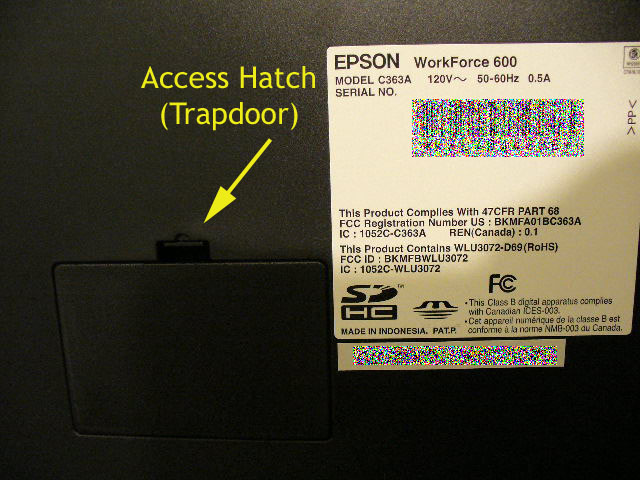
WorkForce 600 access hatch
As with most Epson printers now there’s the standard access hatch which, like the R285 just needs a little screwdriver leverage action to release the catch.
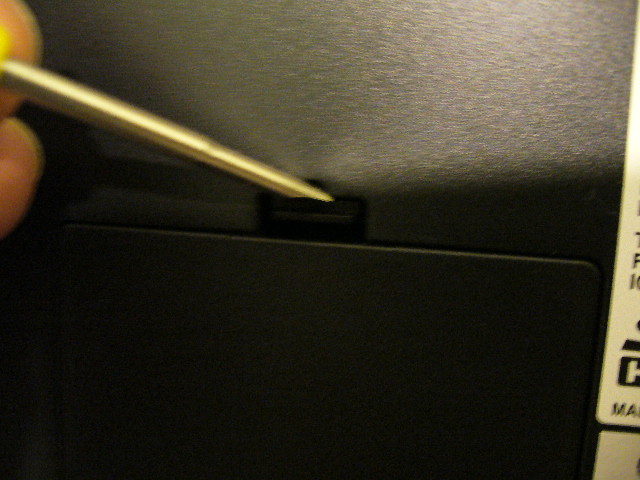
Releasing the hatch
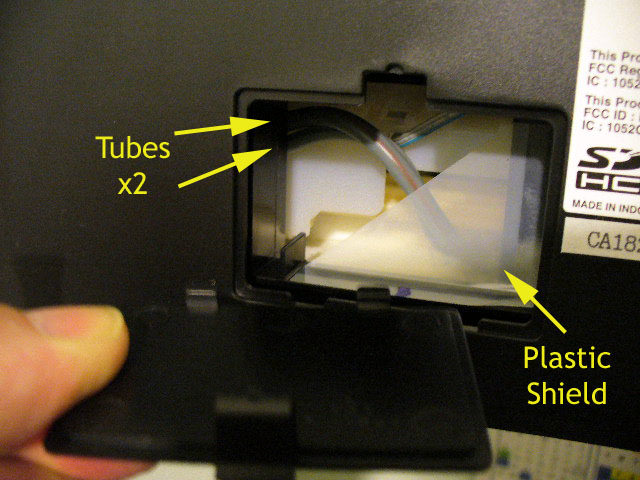
Inside the Workforce 600
Inside there are actually two waste tubes so if you’re using an OctoInkjet kit, you’ll be wanting the duo model.
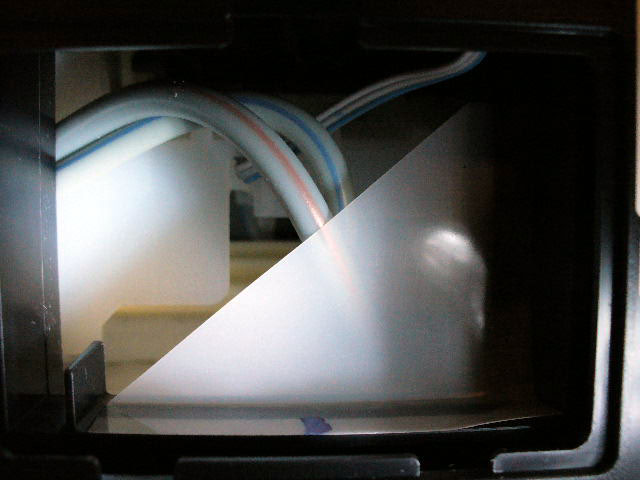
2 waste tubes
In terms of new features, there’s a couple on this model.
The first is immediately apparent when you open the access hatch. Epson have opted to install a little "shield" (as I’m calling it) which acts as a barrier and probably has been included to discourage the timid from redirecting their waste ink flow.
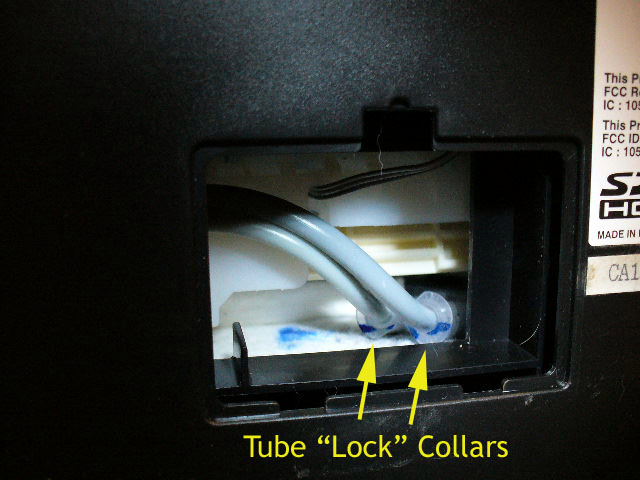
Shield removed
Removing this "shield" is easy enough and does make the task of fitting a waste ink kit easier so it’s your call if you want to try and fiddle around it.
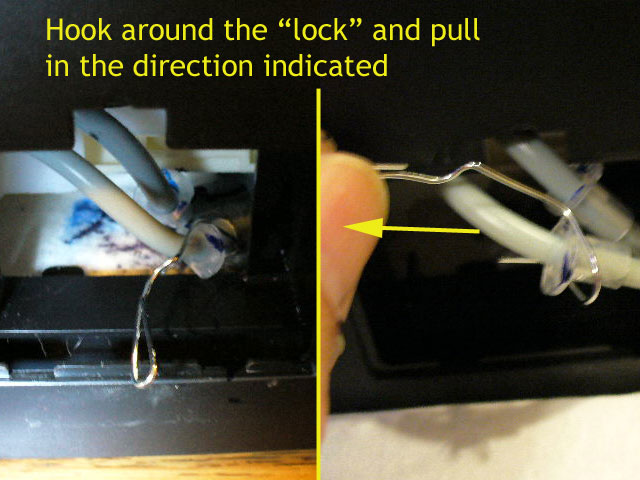
Releasing the waste tubes
The second change is the use of a sort of tube "lock" to hold the tubes in place and possibly keep them from kinking or being crimped in the last few inches.
As shown in the images provided you an easily release these "locks" and the tubes with them by either gently pulling on them or as demonstrated, fashioning a paperclip hook tool to hook and pull the tubes free.
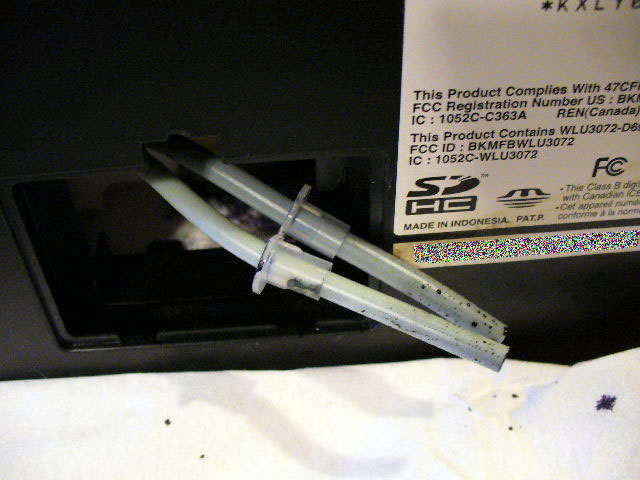
Waste tubes released
All in all simple stuff, just a little less impressive that Epson are now trying to further discourage access to the tubing with that pathetic screen.
Resetting
The SX600FW and SX610FW are compatible with the WICReset and iWIC utilities. Reset keys and/or kit+key bundles can be purchased from OctoInkjet.




Leave a Reply
You must be logged in to post a comment.